Bisp 8171 Payment Check by Cnic Online | Complete Process
The Benazir Income Support Programme (BISP) is Pakistan’s largest social welfare initiative, providing quarterly financial assistance to vulnerable families across the nation. If you’re a registered beneficiary, you can now check BISP balance online by CNIC without visiting physical offices. The Government of Pakistan has fully digitized this process, making it simple for millions of families to verify their payment status, eligibility, and collection details instantly through the 8171 portal or SMS service.
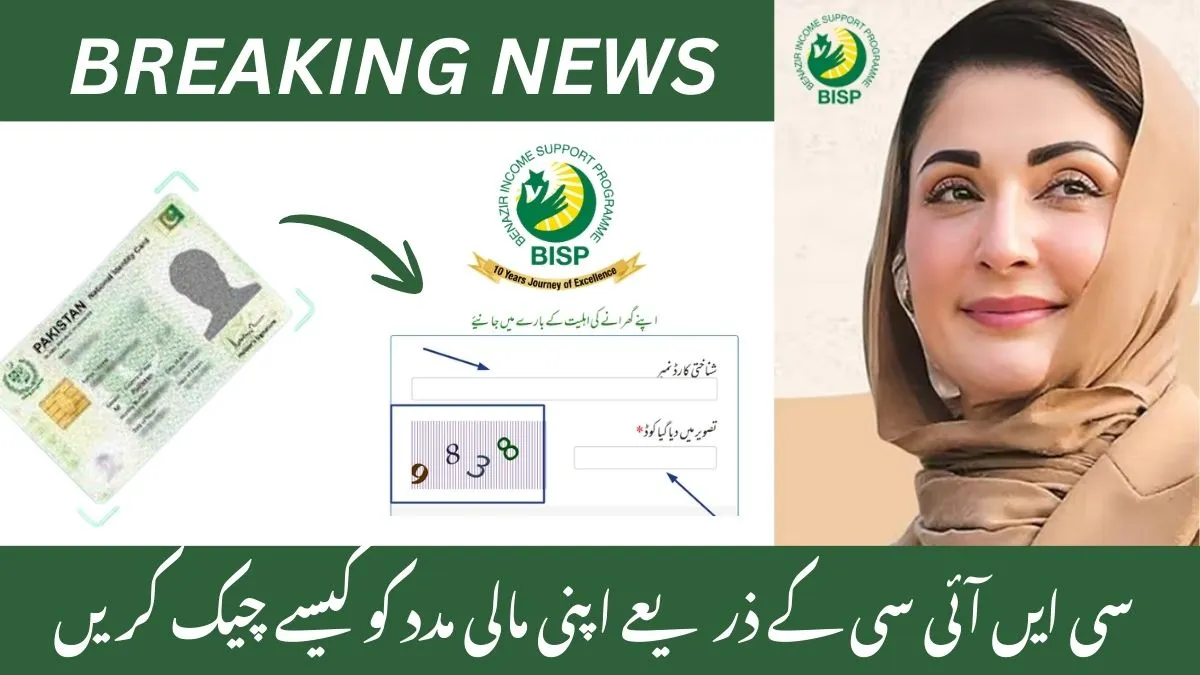
As of December 2025, BISP beneficiaries can access payment information with complete transparency and convenience. This guide will walk you through every method to check your BISP payment by CNIC securely and quickly.
سی این آئی سی کے ذریعے اپنی پیمنٹ چیک کریں
اپنی معلومات درج کریں اور اہلیت چیک کریں
Why Check Your BISP Payment Online by CNIC?
Checking your BISP balance online offers multiple benefits:
- Save Time: No need for unnecessary visits to payment camps or BISP offices
- Stay Updated: Know your payment amount, release dates, and collection points instantly
- Verify Eligibility: Confirm your status in the NSER (National Socio-Economic Registry) system
- Prevent Errors: Identify any issues with your CNIC verification or household data
- Enhance Security: Ensure your payment is properly recorded and protected from fraud
This online system ensures financial inclusion and digital accessibility for all Pakistani families, giving you complete control over your benefits.
BISP 8171 Eligibility Check Status – Is Your CNIC Approved?
BISP 8171 Eligibility Check Status means verifying whether your CNIC is approved for the Benazir Income Support Programme (BISP) or not. If your CNIC is found eligible, you will receive the Rs. 13,500 cash assistance in 2025 under the BISP...
How to Check BISP Payment by CNIC Online – Step-by-Step Guide
Method 1: Check BISP Balance Via 8171 Web Portal
The easiest way to check BISP payment online by CNIC is through the official 8171.bisp.gov.pk website:
- Open your browser and visit 8171.bisp.gov.pk
- Click on “Check Balance” or “Payment Status/Eligibility” option
- Enter your 13-digit CNIC number (without dashes or spaces)
- Complete the CAPTCHA verification for security
- Click “Submit” to view results
- Your payment amount, disbursement date, and collection center will appear instantly
Safety Tip: Always verify you’re on the official 8171 domain. Avoid fake websites that could misuse your personal data.
8171 Web Portal 2026: Check Eligibility & Payments Online
Check your eligibility and payment status for financial aid programs like Ehsaas and BISP instantly using the 8171 Web Portal. Simply enter your CNIC number at 8171.pass.gov.pk to see if you qualify for cash assistance worth Rs. 13,500 or Rs....
Method 2: Check BISP Payment Through SMS (No Internet Required)
If you don’t have internet access, use the SMS service to check BISP payment by CNIC from any mobile phone:
- Open your SMS application
- Type your 13-digit CNIC number (no spaces, dashes, or hyphens)
- Send the message to 8171
- You’ll receive an instant reply with your eligibility status, payment amount, and balance
This free service works on all major networks: Jazz, Zong, Telenor, and Ufone. As of November 2025, all SMS replies are standardized in both Urdu and English for clarity.
Method 3: Check BISP Payment In Person at Tehsil Office
If you prefer face-to-face verification or encounter technical issues:
- Visit your nearest BISP office or Ehsaas Tehsil Office
- Bring your original CNIC
- Request staff to check your payment status or eligibility record
- Use their assistance for payment camps or bank representative support

BISP 13500 Payment Status Check 2025 – December Updated
The Benazir Income Support Programme (BISP) provides financial assistance to families in Pakistan who qualify for support. In December 2025, beneficiaries of the BISP can check their 13,500 payment status through various official channels. This guide will help you easily...
Method 4: Check Balance Using ATM or Bank Agent
If your payments are linked to a BISP debit card or bank account:
- Visit an HBL Konnect ATM or Bank Alfalah ATM
- Insert your card and select “Balance Inquiry“
- Alternatively, visit a bank agent for manual balance verification
Understanding Your BISP Payment Status
When you check BISP payment by CNIC online, you may see different payment statuses:
- Active/Eligible: You qualify for assistance and payments are being processed
- Pending Verification: Your NSER data or CNIC verification is under review (wait 24-48 hours)
- Not Eligible: You don’t meet current criteria; check if your CNIC is expired or household income exceeds limits
- Payment Due: Your installment is ready for collection
Who Can Access BISP Online Services?
Before checking your balance, ensure you meet BISP requirements:
- Priority given to widows, divorced women, and disabled persons
- Pakistani citizen with valid CNIC
- Monthly household income below Rs. 30,000
- No family member employed by government
- No ownership of vehicle, property, or major business
- NSER poverty score below cutoff threshold
What to Do If You See “Not Eligible” or “Pending”
If your BISP payment check shows unfavorable results:
- Check CNIC Status: Renew expired CNIC through NADRA immediately
- Update NSER Record: Visit nearest BISP registration center to correct household data
- Link Your SIM: Ensure mobile number is properly registered under your CNIC
- Call Helpline: Contact 0800-26477 for free assistance
- Visit Tehsil Office: Get manual verification and record correction help
How to Check Online If You Are Still Eligible for BISP After CNIC Expiry?
Understanding BISP CNIC Expiry Issue An expired CNIC is one of the most common reasons for payment suspension in the BISP program because the system cannot verify your identity without a valid document. Identity verification is essential as the program...
Common Issues When Checking BISP Payment by CNIC
Record Not Found
- Wait 24–48 hours for NSER data synchronization
- Clear browser cache or open site in incognito mode
- Confirm your CNIC is active and unexpired
- Avoid unofficial portals that may be scams

BISP 8171 Payment Delay Reasons 2025 | Complete Fixing Guide
Many families rely on the Benazir Income Support Programme (BISP) for financial assistance, and any delay in receiving the Rs 13,500 installment can be stressful. In 2025, several people reported late payments or “under verification” messages on the 8171 Web...
Invalid CNIC Error
- Verify CNIC status with NADRA
- Check for typos in your 13-digit number
- Ensure CNIC is not expired
SMS Not Received
- Confirm SIM card is linked to your CNIC
- Ensure mobile number is registered in BISP database
- Try again after 24 hours if experiencing delays
Portal Access Issues
- Clear cookies and browser cache
- Use incognito/private browsing mode
- Try different browser if problems persist
- Avoid VPN services that may block access
Common Issues When Checking BISP Payment by CNIC
Record Not Found
- Wait 24–48 hours for NSER data synchronization
- Clear browser cache or open site in incognito mode
- Confirm your CNIC is active and unexpired
- Avoid unofficial portals that may be scams
Invalid CNIC Error
- Verify CNIC status with NADRA
- Check for typos in your 13-digit number
- Ensure CNIC is not expired
SMS Not Received
- Confirm SIM card is linked to your CNIC
- Ensure mobile number is registered in BISP database
- Try again after 24 hours if experiencing delays
Portal Access Issues
- Clear cookies and browser cache
- Use incognito/private browsing mode
- Try different browser if problems persist
- Avoid VPN services that may block access
Avoiding Scams and Protecting Your Information
When you check BISP payment online, stay safe:
- Use only official websites: 8171.bisp.gov.pk
- Never share CNIC on unverified apps or social media
- Ignore messages asking for money or personal details
- Remember: BISP only sends messages from 8171
- Never trust calls claiming to be BISP agents asking for payment
- Report fake activities to 0800-26477 or bisp.gov.pk/complaints
BISP Complaint and Grievance Services
If you face payment issues after checking your balance:
- Access IGMS 2.0 (Integrated Grievance Management System) at bisp.gov.pk/complaints
- Report payment delays or missing amounts
- Flag data mismatches or eligibility errors
- File complaints against fake agents or bribery attempts
- Call helpline: 0800-26477 (free, available nationwide)
Digital Wallet and Modern Payment Options
As of December 2025, BISP has launched digital wallet payments:
- Link your CNIC to JazzCash or Easypaisa
- Receive funds directly to your mobile wallet
- No need to visit physical payment centers
- Biometric verification ensures secure transfers
- Instant access to funds 24/7
Partner Banks for Payment: HBL Konnect, Bank Alfalah, JazzCash, Easypaisa
Conclusion
The BISP 8171 payment check by CNIC online system has transformed how Pakistani families access welfare support. Whether you choose the web portal, SMS service, or in-person verification at your local BISP office, checking your payment status is now quick, free, and secure.
The Government of Pakistan’s commitment to digital accessibility ensures that millions of low-income families can verify their benefits instantly from anywhere. By using only official platforms, you protect yourself from scams while ensuring your financial assistance reaches you safely and on time.
Start today: Visit 8171.bisp.gov.pk or send your CNIC to 8171 via SMS to confirm your BISP payment status, eligibility, and collection details. Empower yourself with the information you deserve.